Not using them nowadays would be like commuting to work on a horse. Charming? Yes, definitely, but not very efficient I’m afraid.
In this article, I explain webhooks and provide you with all the technical tidbits you need to know in order to be webhook-fluent.
What are webhooks?
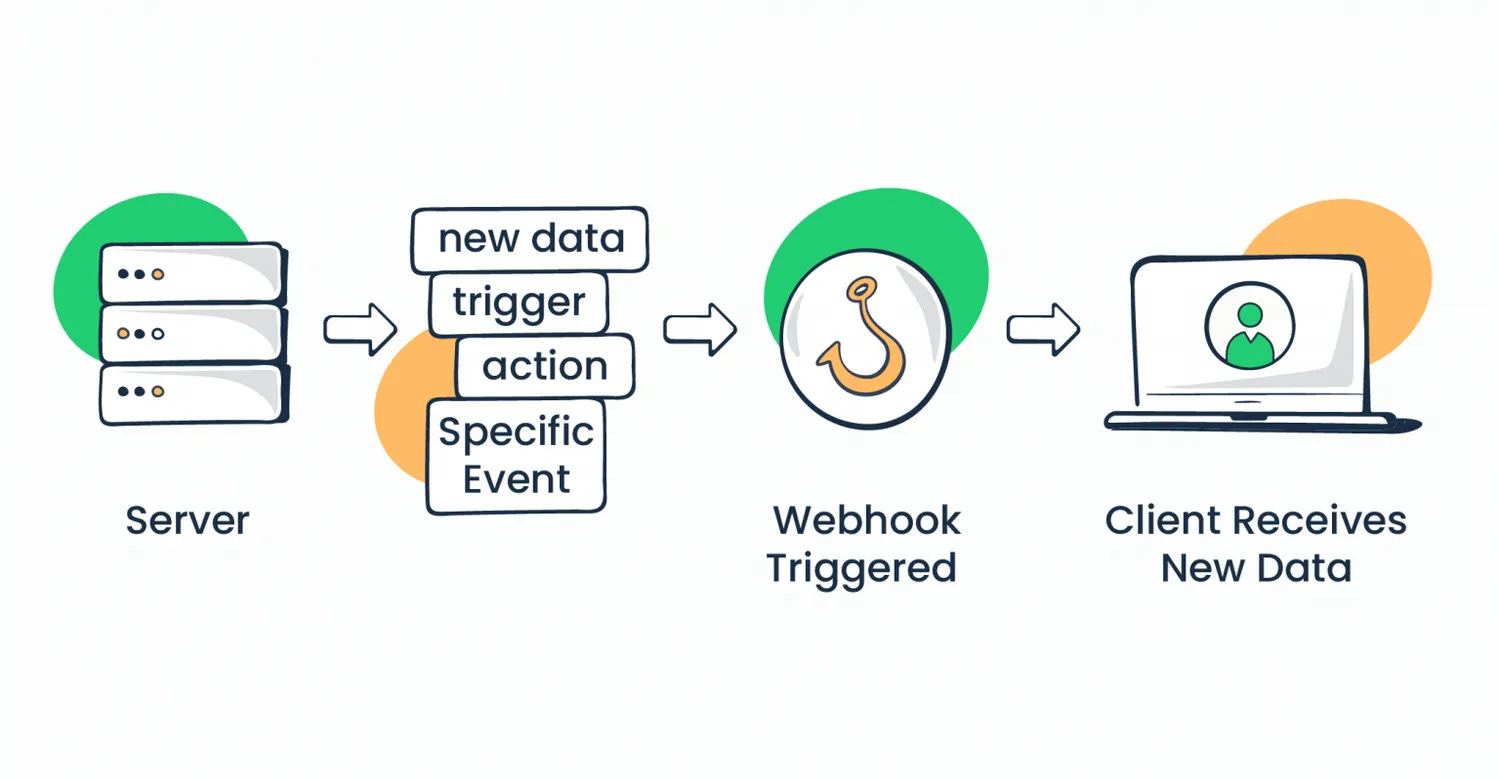
Webhooks are user-defined HTTP callback functions that allow two applications to communicate with each other. They operate via the web, and refer tohooksin software that trigger actions based on specific events. Hence, the name webhooks. 🪝
Put simply, webhooks are automated messages sent from apps when something happens.
You can think of them as hotel receptionists who, when a new guest arrives (specific event), update the hotel’s records (your app) and check the guests in. Similarly, if a new user registers on your website, a webhook will tell your app, which processes the registration and updates the database.
While user registrations are a common trigger, webhooks can be triggered for other events and have more complex use cases, which I delve into a bit later in the article.
How do webhooks work?
When a specified event triggers your app (e.g., a user registers), the webhook sends an HTTP request, which consists of:
Webhook URL – Indicates where you want to send the request.
Body (payload) – Contains the information you want to send to another app.
Header – Specifies how the information in the header is formatted (e.g., XML, JSON)
Request method – The request can either be GET, POST, PUT, or DELETE
Once the app receives the HTTP request from a webhook, it sends a response that lets your trigger app know if the request is completed successfully. Once processed and added to the database, every component of the request will be available on all client connections that may need the data it contains.
And don’t worry, I’ll also show you how webhooks work in detail via practical examples in a minute.
Webhooks vs API
Both webhooks and APIs (application programming interface) are equally important for communication between software. However, although they are similar in their essence, they work in vastly different ways.
Consider APIs and webhooks as siblings, and let’s say those siblings are on a road trip, sitting comfortably in the backseat. APIs will constantly ask: “Are we there yet? Are we there yet?.” In tech terms, this is called polling, a process that asks another system, or even another API, for an update to see if something has changed.
A webhook, on the other hand, is the silent type, the kid who tells you: hey, just let me know when we arrive!” and will elegantly leave when the car stops. Again, in tech terms, this is called pushing, a process that sends, or ‘pushes’ data to a client or server when a specific event occurs. Hence why webhooks are also known as ‘push APIs’ or ‘reverse APIs’.
In a nutshell:
APIsare a set of definitions and protocols that request information through polling, are more complex than webhooks, and are used for purposes such as retrieving data on demand.
Webhooksare a type of event-driven APIs that send information or perform specific functions in response to triggers (e.g., button clicks, user registrations, etc.).
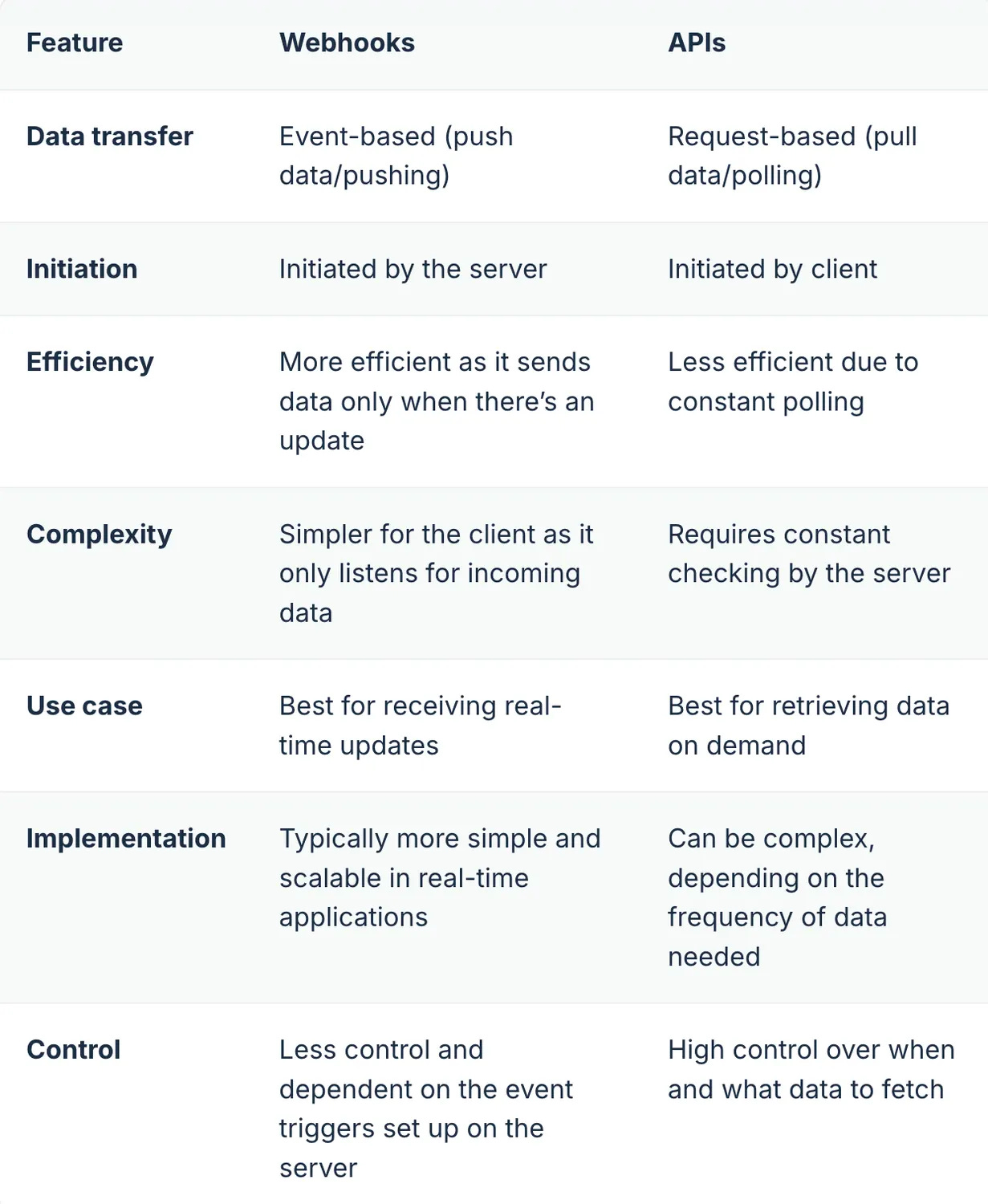
If you’re interested in the more technical side of this comparison, check out the table below:
...
Examples of webhooks
Now, as promised, let me show you some real-world uses and examples of webhooks.
Slack
Slack allows you to modify the platform to send a notification to a channel whenever a critical error occurs in your web application. For example, when the error occurs, the webhook will send a detailed message to a specific Slack channel, with the payload containing all the details and a link to the logs.
Here’s an example of a JSON payload:
{
  "channel": "#alerts",
  "username": "ErrorBot",
  "text": "A critical error occurred in the web application:\n*Error Message:* Unexpected token in JSON\n*Timestamp:* 2024-07-25T14:30:00Z\n*Logs:* <http://example.com/logs/error-1234>",
  "icon_emoji": ":warning:"
}
And here’s a code breakdown with principles you can apply to other examples as well:
"channel":– Specifies the Slack channel where the message should be sent.
"username":– Sets the username that appears next to the message in the Slack channel.
"text":– The main content of the message that provides the information about the error.
"icon_emoji":– Sets the emoji that appears next to the message.
Also, did you know that you can combine Slack, Zapier, and ESPs? My colleague Piotr talks about it in his Slack email integration article.
Mailtrap
I know, I know, this chapter seems like your typical CTA section where I ask you to buy something from us but trust me, I won’t. Providing a Mailtrap webhook example seemed only logical as I’m well acquainted with the platform.
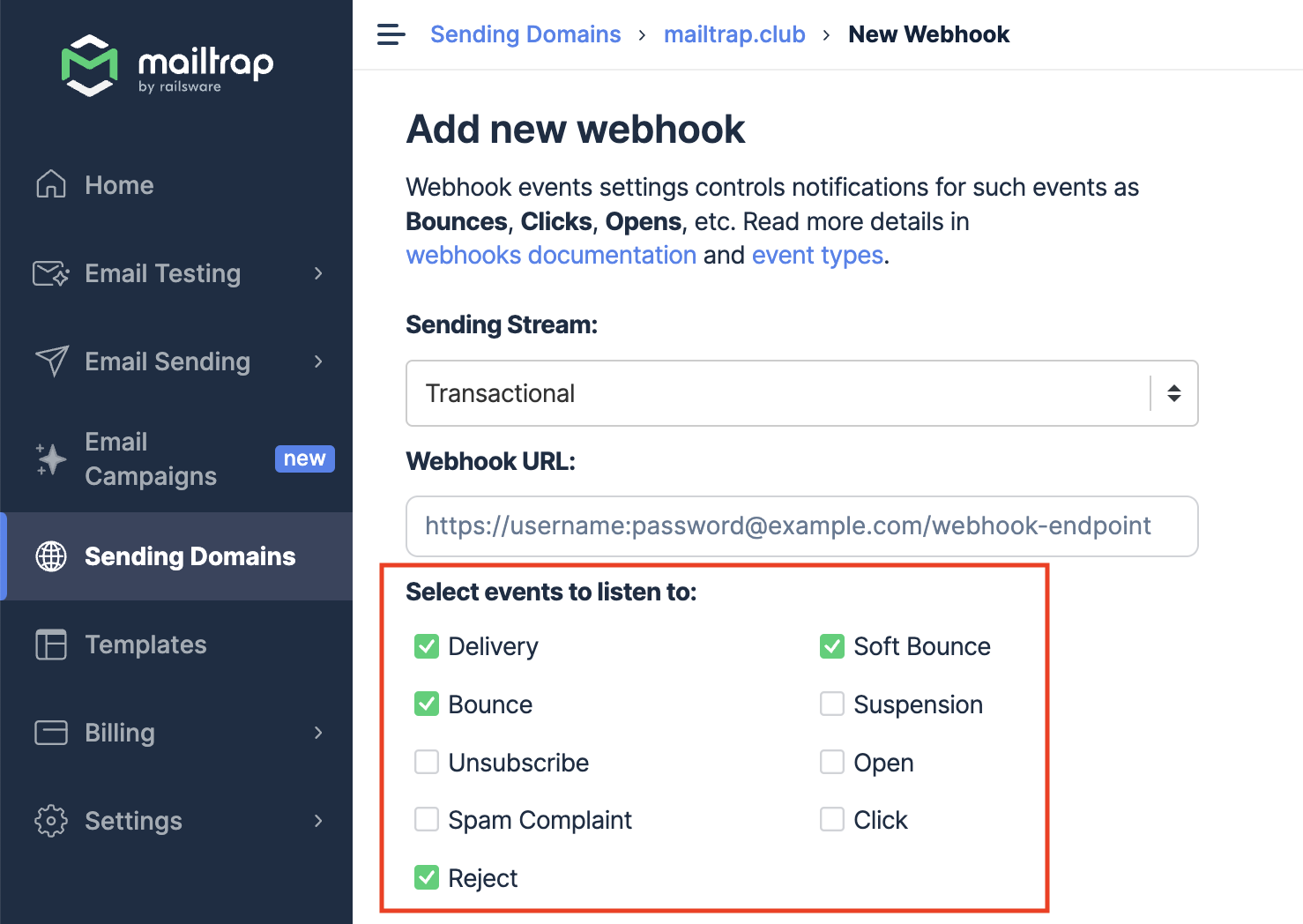
Anyhow, let’s imagine you want to make your Laravel app send emails and keep an eye out on key deliverability metrics. In such a case, you could use Mailtrap webhooks, which will provide you with information on:
We appreciate you chose this part of the article to know what the webhooks are and how to use them. To see more examples of webhooks and find out when you sholdn’t use them click here.